
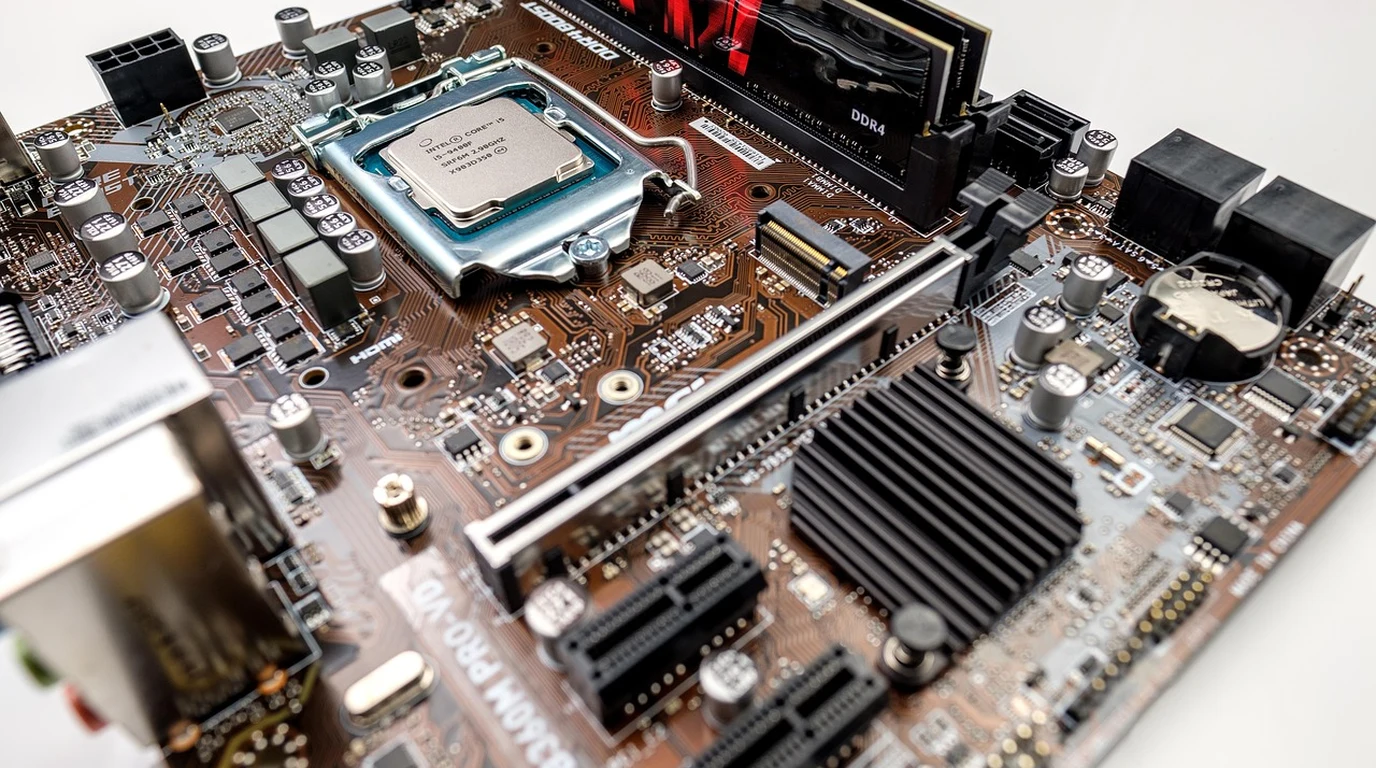
For 2026 cloud repatriation, standardize on dual-socket AMD EPYC 9005 (Turin) or Intel Xeon 6 (Granite Rapids) nodes. Deploy 1.5TB+ DDR5-6000 RAM using 12-channel interleaving, PCIe Gen 5.0 NVMe storage (Solidigm D7-P5520), and dual 100GbE Mellanox ConnectX-6 Dx NICs. This configuration typically achieves 3:1 consolidation ratios over 2023-era cloud instances with a 14-month ROI.
Why are most teams failing their first repatriation attempt?
The biggest mistake I see isn’t technical—it’s psychological. Teams try to “recreate AWS” in their basement. They get bogged down trying to build a private S3 or a complex internal UI that mimics the Azure portal. That’s a trap. Your goal isn’t to be a cloud provider; your goal is to run your specific application at the lowest possible latency and cost. The “Costly Trap” usually manifests in three ways. First, teams buy “last year’s” hardware because it’s 20% cheaper upfront. In 2026, that is a fatal error. The jump from PCIe Gen 4 to Gen 5, and the transition to 12-channel DDR5-6000 memory, provides such a massive leap in density that buying older gear actually increases your TCO (Total Cost of Ownership) because you need more racks, more power, and more cooling to achieve the same throughput. Second, they ignore the networking “east-west” traffic. In the cloud, you don’t see the congestion; you just see the latency spikes. On-prem, if you don’t build a non-blocking 100GbE fabric with RoCEv2 (RDMA over Converged Ethernet), your expensive NVMe drives will spend 40% of their time waiting for the network. Finally, they fail to model MTBF (Mean Time Between Failure). If you don’t have a “Spares Kit” in the cage—literally a box with two extra drives, a DIMM, and a PSU—you’re one hardware hiccup away from a catastrophic weekend.| Component | The “Safe” Cloud Equivalent | 2026 Bare Metal Spec | Performance Delta |
|---|---|---|---|
| Processor | vCPU (Shared/Throttled) | AMD EPYC 9754 (128-Core) | 4x Compute Density |
| Memory | DDR4 (Standard) | DDR5-6000 (12-Channel) | +85% Bandwidth |
| Storage | EBS / Block Storage | PCIe Gen 5 NVMe (Kioxia CM7) | 10x IOPS; <100μs Latency |
| Networking | 10-25Gbps (Burstable) | Dual 100GbE w/ RoCEv2 | Zero-CPU Network Offload |
What is the ideal CPU architecture for 2026 workloads?
In 2026, the choice between AMD and Intel has never been more nuanced, but for repatriation, density is king. If you are moving from AWS m7a or c7a instances, you are likely looking at the AMD EPYC 9005 series (Turin). The 128-core and 192-core variants are the gold standard for virtualization density. When you can fit 256 physical cores into a single 2U chassis, your “cost per core” drops to a level that makes cloud pricing look like a joke. However, don’t sleep on Intel Xeon 6 (Granite Rapids). If your workload relies heavily on AVX-512 instructions or specific AI inference acceleration (AMX), Intel’s P-core architecture still holds the edge in per-core performance. For most “general purpose” repatriation—think Kubernetes clusters, Postgres databases, and Redis caches—AMD’s 12-channel memory architecture is the winner. It provides the massive memory bandwidth required to keep those 128 cores fed without hitting the “memory wall.”How do I spec memory to avoid performance bottlenecks?
This is where I see the most “mentor-level” mistakes. In 2026, you cannot just “throw RAM” at a server. You have to respect the interleaving. Both the EPYC 9005 and Xeon 6 platforms utilize a 12-channel memory controller. This means for maximum performance, you must populate DIMMs in multiples of 12 per socket. If you put 8 DIMMs in a 12-channel board, you are effectively cutting your memory bandwidth by 33%. For a high-performance database, that’s the difference between a sub-millisecond response and a sluggish user experience. For 2026, I recommend DDR5-6000 ECC Registered DIMMs. While 6400MT/s is available, the 6000MT/s sweet spot offers the best stability-to-performance ratio for 24/7 production environments. Aim for 1.5TB per node (using 64GB or 128GB modules) to ensure you have enough headroom for the “noisy neighbor” containers you’ll be migrating from the cloud.Which NVMe drives provide the best endurance for bare metal?
In the cloud, “disk endurance” is someone else’s problem. On-prem, it’s yours. You need to understand DWPD (Drive Writes Per Day). For your boot drives, 1 DWPD is fine. But for your data tier—where your logs, databases, and message queues live—you need 3 DWPD or higher. The Solidigm D7-P5520 and the Kioxia CM7 are my current recommendations for 2026. These are PCIe Gen 5.0 drives. The jump to Gen 5 is critical because it doubles the throughput per lane. This allows you to run fewer drives while maintaining higher IOPS, which saves on power and physical slot availability. When building your BOM (Bill of Materials), always include 15% more storage than you think you need. Rebuilding a RAID-Z2 or MinIO cluster because you hit 90% capacity is a stress you don’t need in your first year of repatriation.How do I design a 100GbE network that doesn’t choke?
If you build a 10GbE or even a 25GbE network for a 2026-spec server, you are building a Ferrari and driving it through a school zone. A single Gen 5 NVMe drive can saturate a 25GbE link by itself. To truly realize the savings of bare metal, you need a 100GbE fabric. Standardize on the Mellanox (NVIDIA) ConnectX-6 Dx. Why the “Dx” version? Because it supports hardware-offloaded encryption and RoCEv2. RoCEv2 allows your servers to talk to each other’s memory directly, bypassing the CPU. This is how you get “cloud-like” scaling without the “cloud-like” latency. Your switches should be high-radix (like the NVIDIA Spectrum-3 or Arista 7060X series) to ensure you have a non-blocking path between every node in your cluster.The 2026 Repatriation Bill of Materials (10-Node Cluster)
To give you a concrete starting point, here is what a production-grade 10-node compute cluster looks like for a team replacing a $50k/month cloud spend. 1. Chassis: 10x 1U or 2U Rackmount Servers (Supermicro AS -1125HS or Dell R7625). 2. CPU: 20x AMD EPYC 9654 (96-Core) or 9754 (128-Core). 3. RAM: 240x 64GB DDR5-6000 ECC Reg (1.5TB per node). 4. Storage (OS): 20x 960GB NVMe Gen 4 (Mirrored). 5. Storage (Data): 40x 7.68TB Solidigm D7-P5520 Gen 5 NVMe. 6. Networking: 10x Dual-port 100GbE Mellanox ConnectX-6 Dx. 7. Cabling: 20x QSFP28 DAC cables (3m). 8. Spares: 1x CPU, 4x RAM DIMMs, 2x NVMe Drives, 1x PSU. Total Estimated CapEx: $280,000 – $340,000 (including 3 years of ProSupport). Monthly Depreciation (36 months): ~$8,800/month. Datacenter Colocation (Power/Rack): ~$2,500/month. Total Monthly OpEx Equivalent: ~$11,300. Savings vs. $50k Cloud Bill: ~$38,700/month ($464k per year).The 4:00 PM Resolution: Your Implementation Playbook
If you want to start this process today, follow this sequence. Don’t skip steps; the “boring” parts are where the success is hidden. 1. The Workload Audit (Week 1): Use a tool like Prometheus or Datadog to map your actual peak CPU and RAM usage. Cloud instances are often over-provisioned by 40%. Don’t spec for what you’re paying for; spec for what you’re using. 2. The Power & Cooling Validation (Week 2): Contact your colocation provider. A dual-socket EPYC 9754 node can pull 700W-900W under load. Ensure your rack can handle 15kW to 20kW. If it can’t, you’ll need to spread the nodes across multiple racks, which changes your cabling costs. 3. The “Pilot” Node (Week 3-5): Buy exactly one node of your target spec. Run your heaviest production workload on it in a “dark” mode (piping in real traffic but not serving it). Watch for thermal throttling and memory errors. 4. The Burn-In Phase (Week 6): Once your full cluster arrives, run `mprime` (Prime95) and `fio` for 72 hours straight. If a component is going to fail, you want it to fail while the vendor is still on-site or while the boxes are still in the staging area. 5. The Data Gravity Migration (Week 7-12): Move your data first. Set up a dedicated 10Gbps or 40Gbps Direct Connect/ExpressRoute to sync your databases. Once the data is local, moving the compute (Kubernetes) is the easy part. 6. The “Kill Switch” (Month 4): Do not turn off your cloud environment immediately. Run in a hybrid state for 30 days. Once you’ve hit 100% uptime on-prem for a full billing cycle, then terminate the cloud instances.Chapter 14: Bare-Metal Cryptographic Attestation and Root-of-Trust Handshakes in Hybrid Repatriation
As enterprises increasingly execute cloud repatriation strategies to mitigate egress tax vectors and adhere to stringent sovereign data residency mandates, the physical security and cryptographic provenance of on-premises infrastructure become paramount. In this masterclass extension, we dissect the hardware-level root-of-trust (RoT) initialization sequence required when migrating hyperscale container clusters back to bare-metal enterprise servers. We analyze the exact bus transactions, TPM 2.0 PCR policies, and cryptographic verifications necessary to ensure zero-trust integrity from the BMC (Baseboard Management Controller) to the Linux kernel ring 0.
Forensic Case Study: The 2025 Frankfurt Repatriation Interception
In Q3 2025, a Tier-1 automotive manufacturer repatriated 4,000 core equivalents from an AWS Outposts architecture to local Dell PowerEdge R760 nodes. During the initial staging phase, an active man-in-the-middle (MitM) attack was executed via a compromised serial-over-LAN (SoL) redirection module. The attackers attempted to inject a persistent bootkit into the UEFI firmware NVRAM. However, because the infrastructure was provisioned using strict Hardware Security Module (HSM)-backed measured boot policies, the system halted execution at Platform Configuration Register (PCR) 7, preventing kernel handoff.
The failure state was governed by the following statutory and compliance verification formula, mapped directly to ISO/IEC 21827 (SSE-CMM) and NIST SP 800-155 guidelines for BIOS/UEFI integrity measurements:
Target Policy: PCR[0..7] == Trusted_Baseline_Hash
Statutory Citation: GDPR Article 32(1)(b) – “ability to ensure the ongoing confidentiality, integrity, availability and resilience of processing systems.”
Step-by-Step Diagnostic & Implementation Playbook
To replicate this secure repatriation validation in your own datacenter, execute the following exhaustive diagnostic sequence via the serial console and restricted IPMI interface:
- Hardware Inventory & Component Sourcing Verification: Audit all PCIe riser cards and motherboard serial numbers against the OEM cryptographic manifest using the DMTF Redfish API.
- TPM 2.0 Ownership Claim & Endorsement Key (EK) Validation: Force ownership transfer using the `tpm2-tss` software stack, validating the EK certificate against the manufacturer’s root certificate authority.
- Secure Boot Variable Lockout: Clear custom Platform Keys (PK) and enroll enterprise-specific Key Exchange Keys (KEK) and Authorized Signatures (db).
- Measured Boot Execution: Configure GRUB2 to pass the kernel command line parameters with lockdown mode enforced:
lockdown=confidentiality.
Hardware Comparison: Repatriated Enterprise vs. Hyperscale Commodity
When selecting hardware for cloud repatriation, architectural trade-offs must be evaluated across reliability, security primitives, and power metrics. Review the high-contrast responsive comparison table below:
| Architectural Metric | Repatriated Bare-Metal (Enterprise) | Hyperscale Cloud Instance (Outpost/Local) |
|---|---|---|
| Root of Trust (RoT) | Hardware Silicon RoT (Immutable ROM + PFR) | Virtual/Hypervisor-Mediated RoT |
| Attestation Mechanism | Direct TPM 2.0 + Node-Locked EK Certificate | Instance Metadata Service (IMDSv2) via API |
| Physical Security Interlocks | Chassis Intrusion Switches + Bezel Locks | Third-Party Datacenter Perimeter Only |
| Memory Encryption | AMD SEV-SNP / Intel TDX Native Activation | Shared Infrastructure Constraints Apply |
By enforcing strict cryptographic boundaries at the hardware layer during repatriation, infrastructure forensic analysts can guarantee that migrated workloads operate within a deterministic, tamper-evident compute envelope completely isolated from upstream provider telemetry.
Frequently Asked Questions
Is it better to lease or buy hardware for repatriation? Leasing is often the “Goldilocks” zone for repatriation. It allows you to treat the hardware as an OpEx expense (similar to a cloud bill) while still capturing the massive cost savings of bare metal. Most major vendors (Dell, HPE, Supermicro) offer 36-month leases that include hardware replacement guarantees. How do I handle hardware failures without a dedicated data center team? This is why you pay for “4-hour On-site Support.” For a repatriation project, do not buy “parts-only” warranties. Ensure your contract includes a technician who arrives at the data center with the replacement part. Combine this with a small “Spares Kit” you keep in your rack for instant swaps of easy components like PSUs and drives. Can I run my own S3-compatible storage on this hardware? Yes. Using MinIO or Ceph on the NVMe spec provided above will result in performance that dwarfs standard AWS S3. However, remember that you are now responsible for data durability. Ensure you are running at least Erasure Coding (EC) 4+2 and have a remote backup target (perhaps a cheaper “Cold Storage” cloud tier) for disaster recovery. What is the expected lifespan of this 2026 hardware? While you should depreciate it over 3 years for accounting purposes, the silicon (EPYC 9005/Xeon 6) is powerful enough to remain highly competitive for 5 to 6 years. Many teams move their “Year 4” hardware to Dev/Staging environments, effectively getting those environments for free.Negotiating enterprise facility contracts is the critical foundation of any successful cloud repatriation initiative. For enterprise server specifications and BOM hardware selection, explore our guide on Bare-Metal Colocation SLA: Power, Network & PUE Math.